%20(2).png?width=120&height=38&name=Ren%20Logo%20Light%20(1)%20(2).png)
Custom Feeds enables you to prioritize alerts by topic or objective in a dedicated feed.
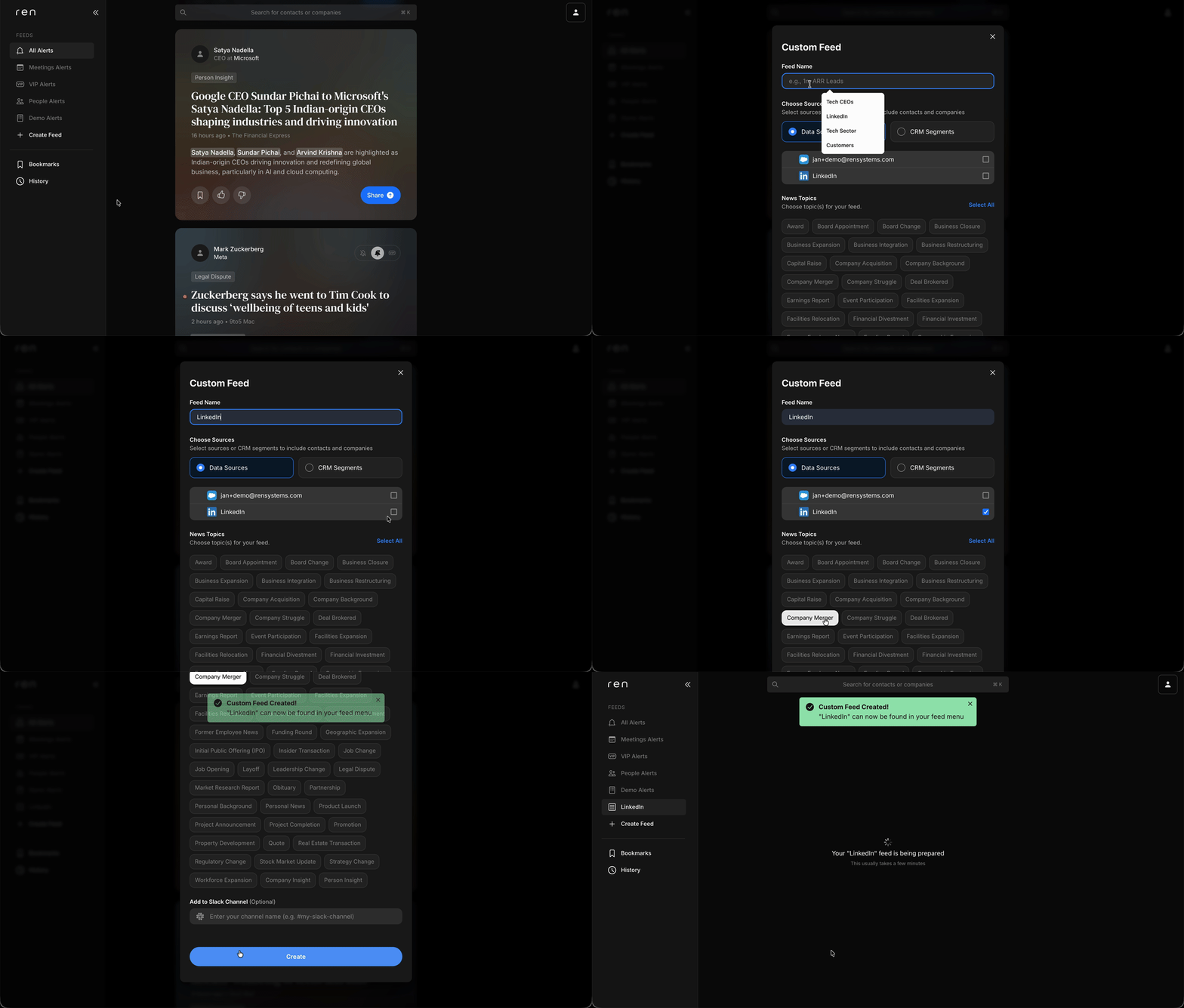
Create a Custom Feed on Web
-
In the left navigation, click Create Feed.
-
In the modal, pick a name for your feed.
-
Next choose where the contacts and companies for this feed come from. It could be:
-
Any combination of Contact sources (e.g., a file upload or integration)
- Or CRM Segments if set up in your account by your org admin
-
- Next, pick one or more Topics
- Start simple to keep your feed focuses with just the specific topics you need e.g., Mergers & Acquisitions
- If you want a broader feed, you can use the Select All button to easy include all topics
-
Click Create.
Tip: Use clear names (e.g., M&A or 2026 Prospects) so each feed matches a workflow or objective.
Creating a custom feed on iOS
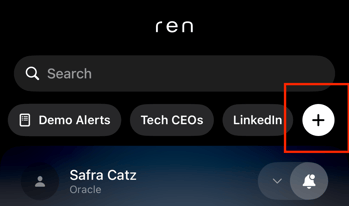
On iOS, creating a custom feed is very similar. Just swipe over in the top tab bar to find the + button and from there it's the same as on web.
Syncing feeds between devices
This happens automatically! Any feed you create on Ren automatically shows across web and iOS platforms.